Disclosure: Retro Fighters provided this product free of charge for review. All opinions in this review are my own.
The Xbox 360 is an iconic console that is now 20 years old. After the original Xbox failed to gain traction against the PlayStation 2, the Xbox 360 set the stage for the HD era and many of today’s gaming staples. One of its biggest improvements over the original, however, was its controller. Boasting wireless capabilities and improved ergonomics, it was the best controller of the generation. But nearly 10 years after the system's discontinuation, it is becoming harder to find controllers with decent-quality sticks. You can swap in new stick modules if you have the soldering skills to keep the older 360 pads alive, or there are numerous third-party options available. The latest of these options is the Hunter 360 from Retro Fighters. This new Xbox 360 controller looks to provide a perfect playing experience for Microsoft's best console and PC. While a bit pricey at $59.99, the Hunter 360 has exceeded expectations!
What’s In The Box
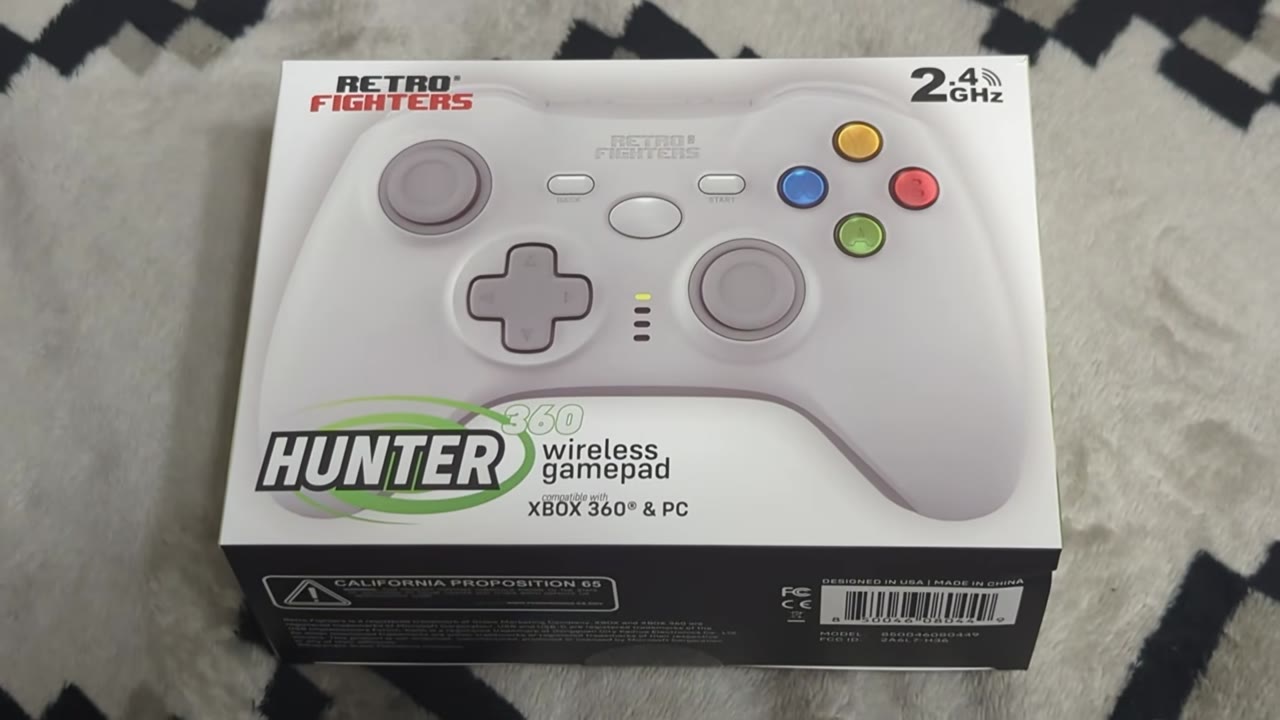
The Hunter 360 comes in a compact box with a life-size depiction of the Hunter 360 on the front. The controller name, branding, and system compatibility are also noted. The sides of the box give us a stylized look at the face buttons and D-pad. The back gives a nice summary of the controller and highlights its key features. Opening the box, you will find your Hunter 360 in your chosen color, USB 2.4GHz Receiver, USB Cable, and a quick start guide.
Aesthetics And Build Quality
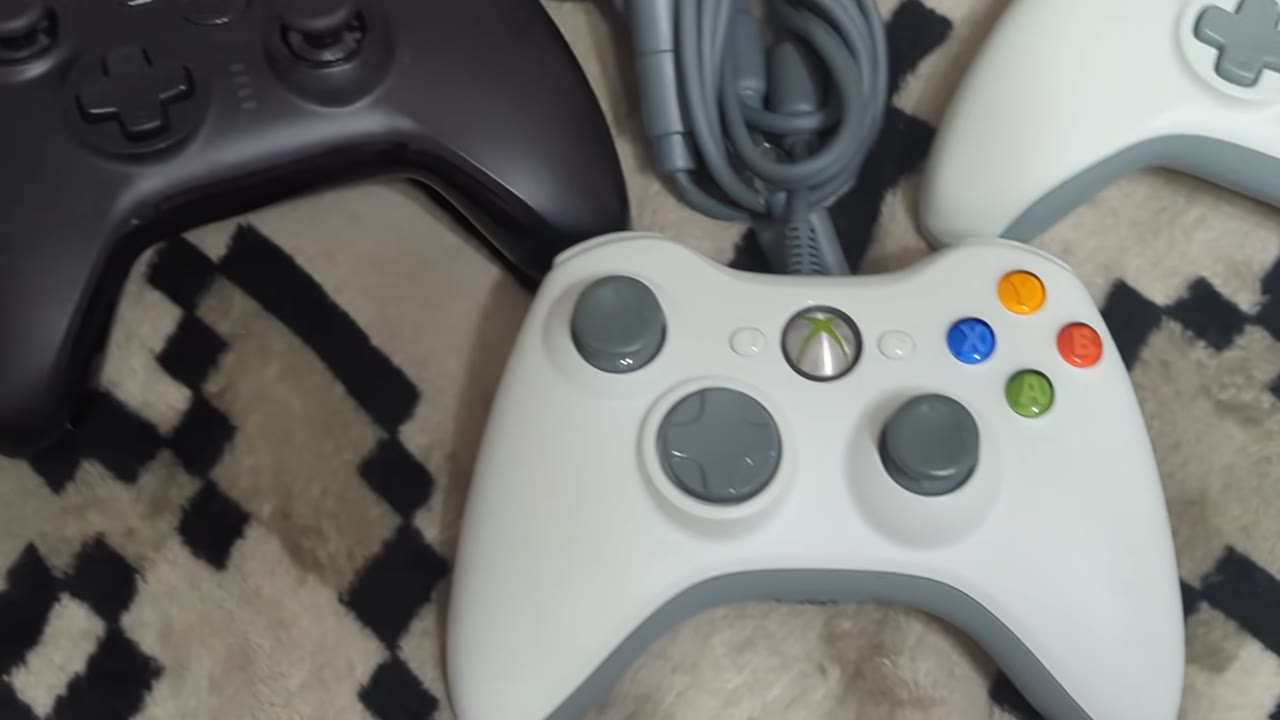
The Hunter 360’s design looks inspired by the original Xbox 360 controller. They have a very similar shape overall, with the Hunter being a bit less rounded in the middle while still maintaining some of the iconic curves. The two-tone color scheme of the white and grey variant looks perfect alongside the original. And the colorful face buttons grab your attention like always. The face buttons have good activation ranges, but they are on the loud side. The sticks on the Hunter feature different thumbcaps and an added antifriction ring that produce smooth rotations with a good grip. Resistance on each feels fantastic. Bumpers feel good to use and are larger than those found on the original 360 controller.
Triggers have a modern build and appearance with decent resistance. The D-pad uses a traditional cross shape and makes use of Kailh microswitches, giving it a nice tactile feel and good rollability. The traditional ring of light has been replaced with 4 status LEDs, and the Iconic Xbox guide button has been replaced by a bland oval. Not my favorite change, but it is functional. Start and Back buttons are also more rounded and lack their traditional iconography. A power button and mode switch button are the last notable inclusions residing near the USB-C charging port. One thing lacking from the Hunter 360 is the 2.5mm headset jack found on the original Xbox 360 controllers. If you still play online, you will need to make use of one of the Xbox 360’s wireless communication options while using this pad.
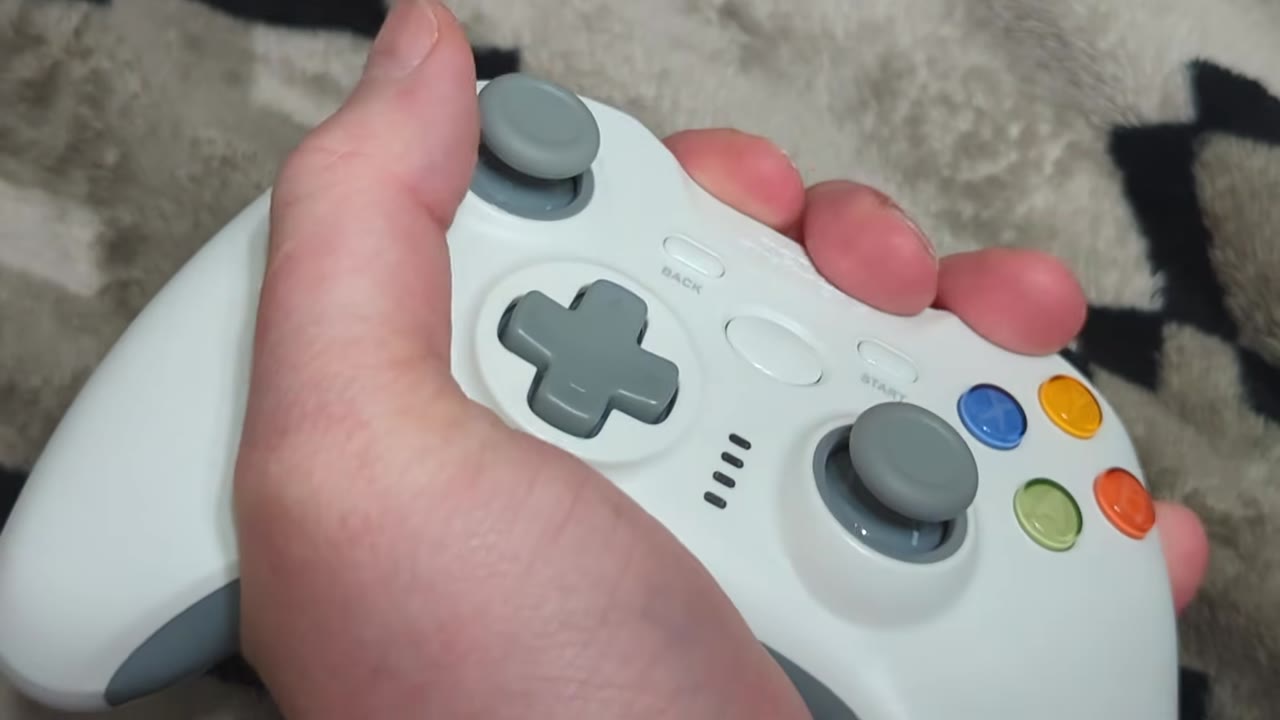
Overall build quality for the Hunter 360 feels great. It is very sturdy and doesn’t give to twist tests or excessive force. Even more extreme drops haven’t hurt its playing ability! It has a good weight, and the overall ergonomics are top-tier, resulting in a comfortable playing experience even after several hours of use. It looks and feels like a premium controller, with only the loud face buttons and lack of any meaningful iconography on the guide button hurting that perception.
Gameplay

It is in the playing experience that the Hunter 360 excels, though. It is again compatible with the Xbox 360 and PC. Xbox 360 use is achieved with the included USB 2.4GHz receiver, while PC can use the receiver or a wired connection. The Hunter 360’s thumbsticks feature two modes of operation as well with its default being 360 mode. As this is the default, we will start here! The Xbox 360 controller makes use of a slightly more square gating compared to the perfect circle many modern PC controllers go for. As I no longer have an Xbox 360 wireless receiver for PC, I picked up a brand new wired Xbox 360 pad in anticipation of this review to do some comparisons. Results are pleasing with the Hunter 360 showing nearly like-for-like results! Latency for the Hunter 360 in its 360 mode of operation also exceeds that of the original wired controller. The Xbox 360 wired controller averages a 141.31Hz polling rate with an average latency of 7.07ms. The Hunter 360 turns in an average polling rate of 185Hz with an average latency of 5.15ms.
As a result of both its stick calibration and latency, using the Hunter 360 on Xbox 360 consoles feels fantastic in nearly every game I put it up against! Adventure titles and racing games feel nearly perfect in my side-by-side comparisons. Loading up Halo 3 gave me concerns at first with its unique aiming, but the Hunter 360 did well. There is a slightly different handling that is noticeable in Halo. While not as one-to-one as other titles compared with the OEM controllers, it didn’t take long to adjust to the slight variance. Thankfully, there are no perceptible added deazones in any game to my eye, and no issues with cardinal snapping are present. I have also had no issues with any dropped inputs or interference during my testing. As for the D-pad, it has handled very well across multiple titles. I like the microswitch design, and I haven’t had any issues with misreads during quick back-and-forths. It handles well in Street Fighter 4 for my needs, and I have had no issues pulling off the typical Ryu combos. Mega Man 9 and 10 have also handled without issue!

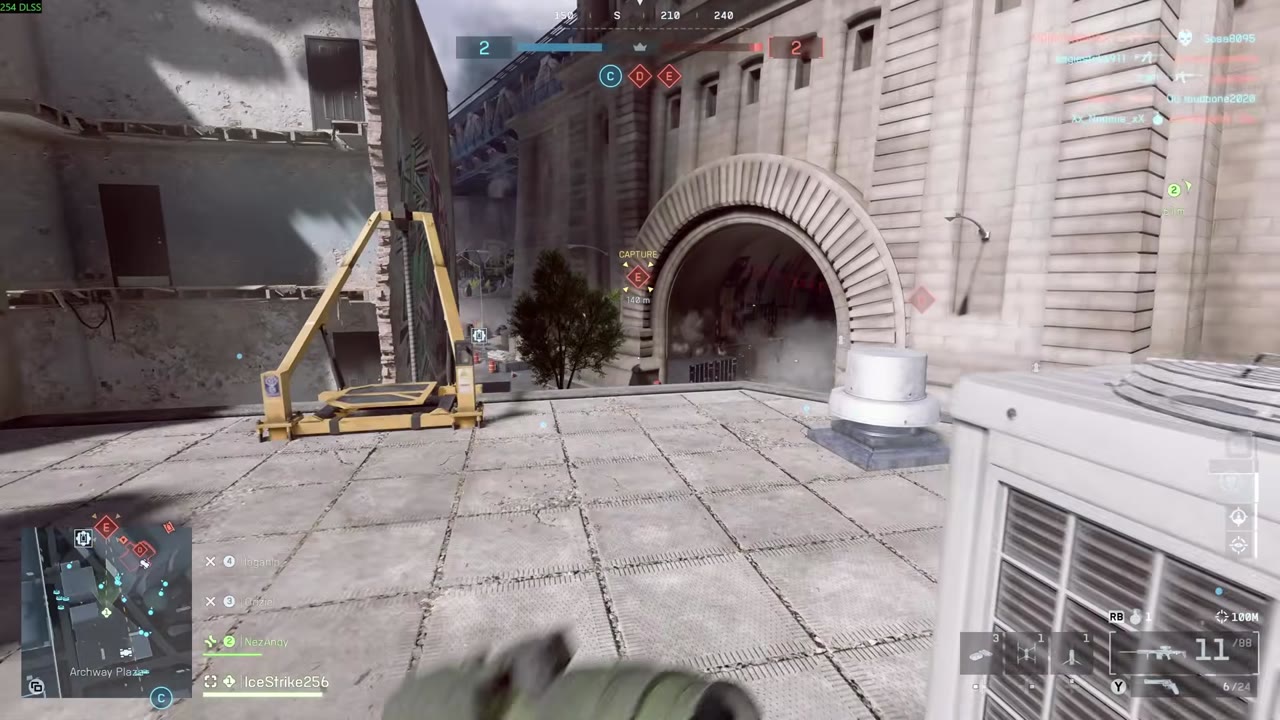
As for use on PC, you will want to make sure to switch the Hunter 360’s operating mode to its included PC mode to get the most out of the controller. As noted earlier, the polling rate in 360 mode hits around 185Hz on average with its 2.4GHz receiver. In PC mode, it hits 997Hz on average with a mere 1ms of average latency! Wired mode fares a bit worse but still excellent, with an average polling rate of 768.73Hz and an average input latency of 1.3ms. Stick circularity is practically a perfect circle, and the precision in PC games is phenomenal. Lining up shots in Battlefield 6 is a breeze, and thanks to the lack of perceptible deadzones, minute movement begins right away, which is incredibly pleasing. Other titles fare equally well, leaving me with no complaints with the Hunter 360 as a modern PC input option. It is also worth mentioning that the Hunter 360 features a Direct Input Mode along with XInput, giving it compatibility with older PC games as well. You get knocked down to a 125Hz polling rate in this mode, but it shouldn’t be an issue for games requiring Direct Input.
Battery life for the Hunter 360 lasts around 12 hours in my testing. You can plug it into a wall outlet to charge while still using it with the 2.4GHz receiver, if needed, so you are never taken out of commission. You can likely squeeze more life out of the Hunter 360 by reducing its rumble motor strength with its built-in macro. You can outright disable it as well if desired. I like to have it set to full blast as I am a fan of the feature, and I am glad that it doesn’t rattle the shell like cheaper third-party controllers. I am also a fan of being able to quickly turn the controller off with a press of its power button instead of waiting for its built-in shutoff timer.
What It Could Have Done Better

My only real complaint about the experience of using the Hunter 360 on the Xbox 360 is that it requires some relearning to adjust to the slightly different feel in Halo titles. I have had no issues of any variety or severity with any other 360 games, but this slight difference in Halo. Using the USB 2.4GHz receiver on 360 also slightly bothers me. I am not using the Xbox 360’s USB ports for anything anyway, so it shouldn’t matter, but I am weird like that. It is also worth noting that you can not power on the system with the Hunter 360. You can shut it down and do everything else, but you will have to physically power on the 360 to begin playing. I am also pleased that the player indicator LEDs work as intended! On PC, I have no complaints with the Hunter 360 whatsoever. I need to remember to switch it into PC mode, but once done, it has provided me with a flawless playing experience. It is worth noting that if you utilize a flicking style of play for any titles, there can be some snap back on occasion.
Verdict
The Retro Fighters Hunter 360 has been a ton of fun to test across Xbox 360 and PC. For 360 use it makes for a fine replacement option that has better latency than the original wired and wireless controllers. Sticks are calibrated well to match those found on the original first-party pads, and they work great in practically every title I have tested. Halo felt slightly off, but it wasn’t hard to get adjusted to the slightly different feel. On PC, the Hunter 360 is an amazing input option with blazing-fast wireless latency and fantastic stick precision. Buttons and D-pad are solid performers, and rumble feels great. The asking price of $59.99 is a bit higher than I would like, but rest assured, you are getting a solid pad!