Disclosure: PowerA provided this product free of charge for review. All opinions in this review are my own.
Microsoft is notorious for rarely allowing a third-party company to make controllers that connect to Xbox consoles using their proprietary wireless connection. When PowerA announced the Moga XP-Ultra would be a controller that could take advantage of that connection back in 2023, I was immediately curious. PowerA’s Moga brand has a mobile focus and the XP-Ultra is an interesting blend of mobile and traditional controller design. At its original asking price of $129.99, the XP-Ultra didn’t feel like a controller I would personally buy. But time adjusts many things and the XP-Ultra is now readily available at much cheaper prices. The time has come to see if the XP-Ultra is a worthy addition to our gaming arsenals!
What’s In The Box
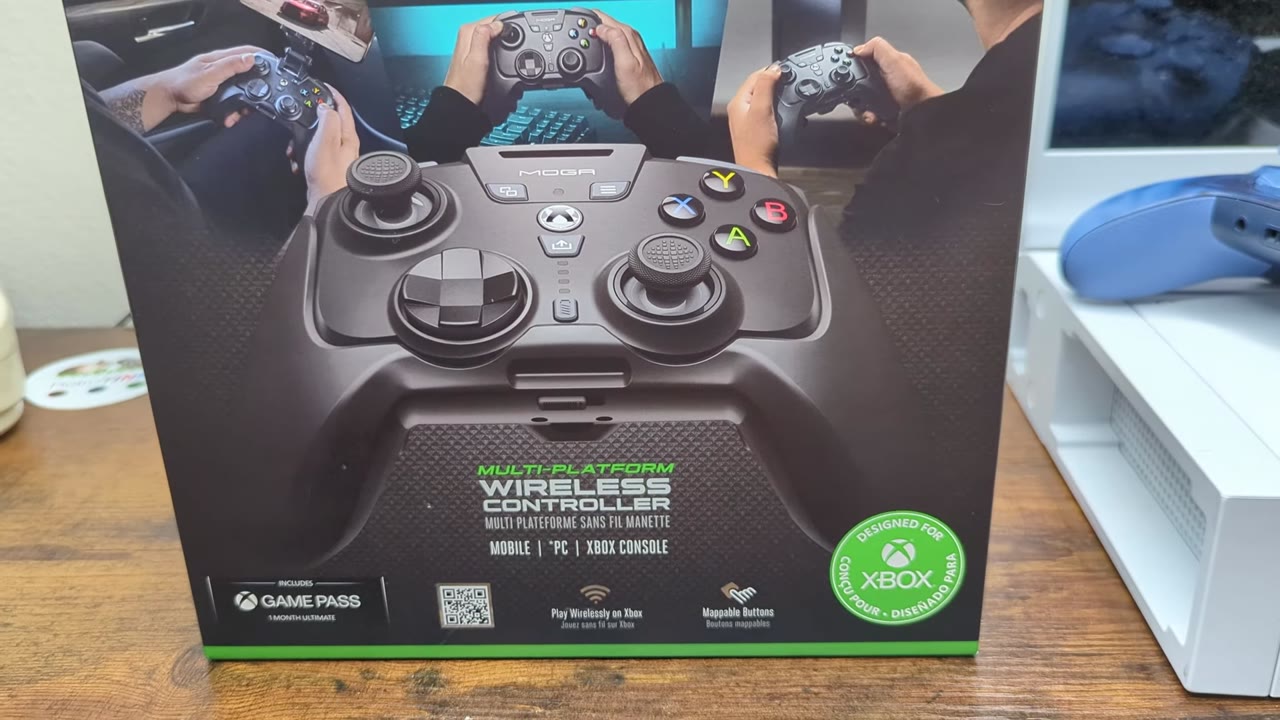
The Moga XP-Ultra comes in a very noisy box that depicts the controller in the center and potential use cases above, including ts wireless use across Xbox and mobile devices. On one side of the box, we get another depiction of the XP-Ultra being used wirelessly with the Xbox Series X. On the other side, specifications, box contents, and system compatibility are listed. The back again highlights the XP-Ultra’s wireless capabilities with a great overview of the various parts and highlights of the controller. Inside the outer box is a nice thick flip-up box containing the XP-Ultra, Phone Clip, Quick Start Guide, 10-foot USB Cable, and a one-month Game Pass Ultimate subscription code.
Aesthetics And Build Quality
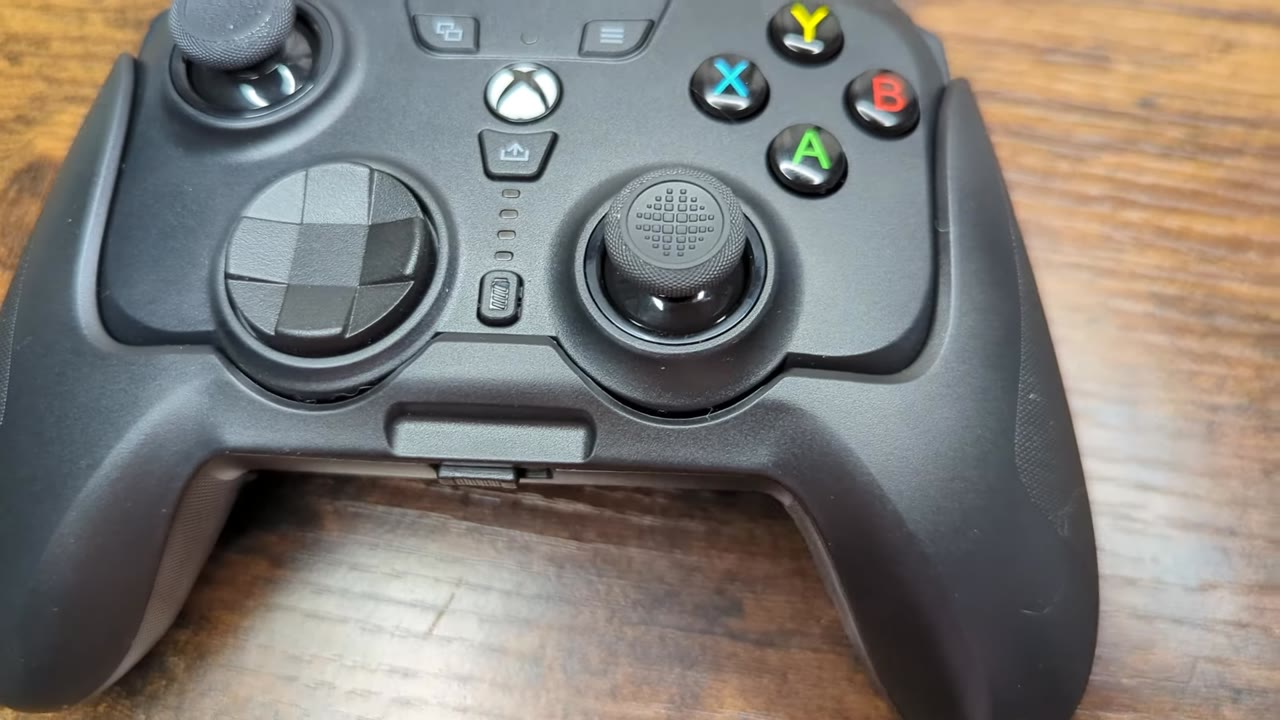
The XP-Ultra is hands down one of the oddest controllers I have looked upon in recent memory. Its transforming design gives it two distinct parts, the mini controller and a grip. While using it in its grip mode, the XP-Ultra feels like a standard Xbox controller only with some interesting lines marking up its face and an extra bulge on the back to accommodate the phone mount and protruding headset jack. None of this hampers its use, and during play you are likely to not notice any of it. Buttons, sticks, D-pad, shoulder buttons, and triggers all reside in their typical positions ensuring the expected comfort of an Xbox pad is present. The grip itself also features a nice texturing on its handles. The last notable inclusions on the grip are 2 built-in rumble motors plus two reprogrammable buttons that communicate with the mini pad through a series of pins.
Using a switch on the bottom of the grip will smoothly release the mini controller for a more portable function. The rectangular shape fits in the hands well enough and thanks to the full-sized triggers, there is a decent amount of ergonomics to be had. The overall design is still thick compared to something like the 8BitDo SF30+, but removing the handles makes the XP-Ultra easier to fit into a pocket or cramped bag. The mini pad retaining the 3.5mm jack is also a big win in my book. The whole pad is also very dense and has a good amount of weight in it partly to do with the built-in 2000 mAh battery and impulse triggers. While I have enjoyed messing around with the XP-Ultra in its mini pad layout, it does make playing shooters and third-person action games harder to enjoy just because of how I play and have to hold it.
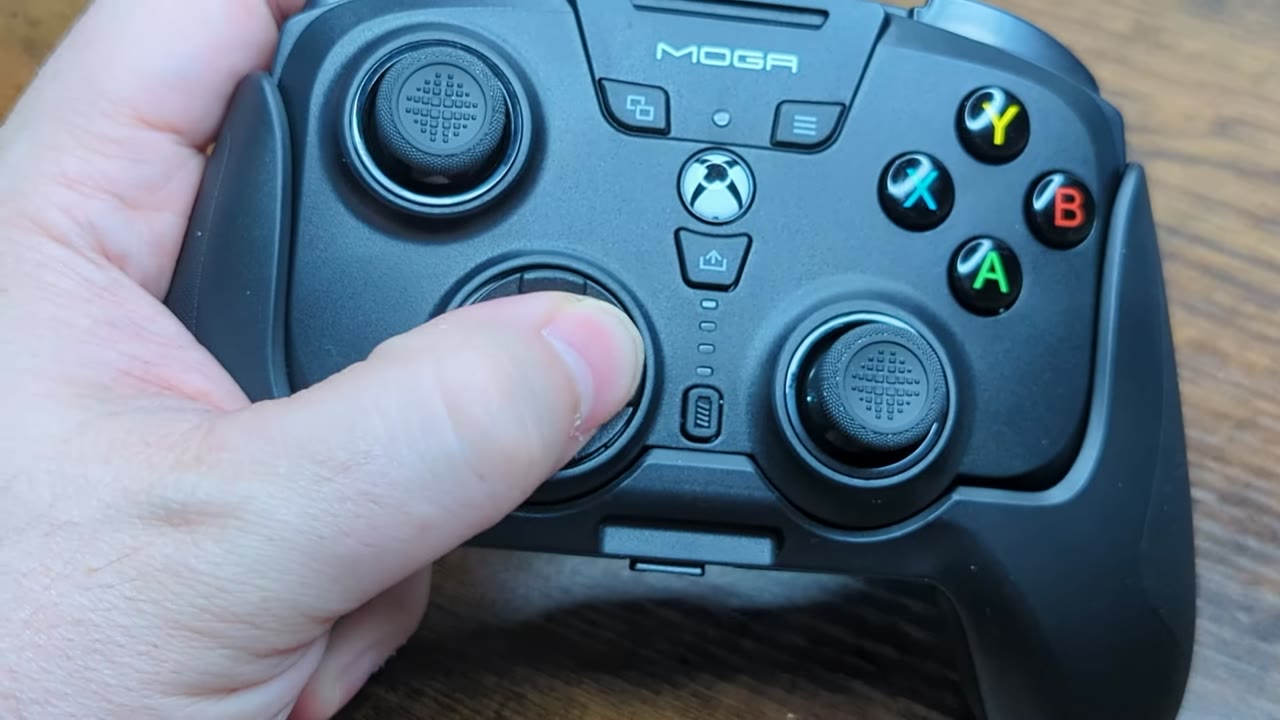
As for the physical feel of the buttons and triggers of the XP-Ultra, it is an overall great experience. Face buttons have a good feel to them and aren't overly loud. The D-pad has a good roll to it and features the design found on traditional Series X/S pads. It almost comes in too stiff for my preference but barely stays on the acceptable side. This feel is mirrored in the home, menu, view, share, and battery indicator buttons adorning the center of the pad. Shoulder buttons have a nice click from their microswitches but they do come across as hollow during use. Triggers have texturing to ensure proper grip during use but have a lower resistance than I would like. They also lack sufficient padding at the end of a pull resulting in a hollow sound to match the bumpers. The thumb sticks found on the XP-Ultra have good resistance and a great inner and outer grip. An anti-friction ring around both stick housings also ensures excellent rotations!
Gameplay
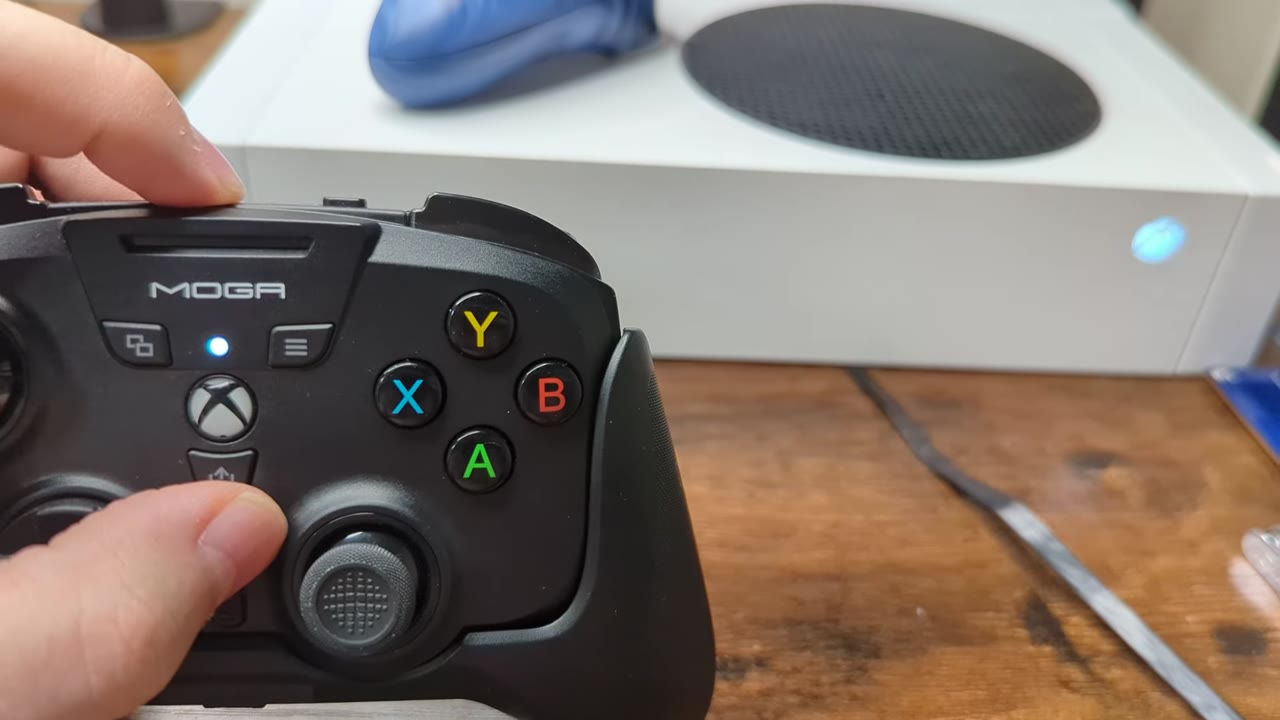
Since the XP-Ultra can use Microsoft’s wireless connection on Xbox consoles, getting it set up for use is a breeze using the sync button on top of the pad. Once connected, the controller behaves as expected on Xbox platforms and it does fully support Xbox systemwide controller customizations. For PC use things are a bit different, while the controller supports Bluetooth hooking it up to a PC through it registers the controller as a direct input pad, removing its ability to use analog triggers. PowerA states on the XP-Ultra box that wireless use on a PC needs to be done with an Xbox controller receiver for proper function which is a letdown. Hooking it up through USB has the controller work as intended. Using the Bluetooth connection to pair the controller to my Pixel 6 Pro has worked without issue. Double pressing the sync button also allows for quick connection switching between the two wireless options as seen on first-party Xbox pads.
I have spent the majority of my playtime with the Moga XP-Ultra using it in its full-sized configuration on Xbox and PC. During use, it again feels similar to a standard Xbox controller and I have not been disappointed by the way it handles in games. I have not noticed any glaring latency issues or dropped inputs. I have found the buttons to do a great job and their slightly smaller and flatter shape has been more pleasing than expected. Playing through retro compilations or emulation with the D-pad has also been better than expected with its borderline stiff feel. Each direction and diagonal has worked without issue, and while I am not a hardcore FGC member I can pull off what I need to without issue. Bumpers work well and register promptly. Triggers, while looser than I prefer, have also performed well with activation beginning right as pulled and registering full value at the end of the housing. The impulse rumble motors have a good strength and no obnoxious rattling. You can also map the function of any of the pads buttons to its two reprogrammable buttons as you see fit.
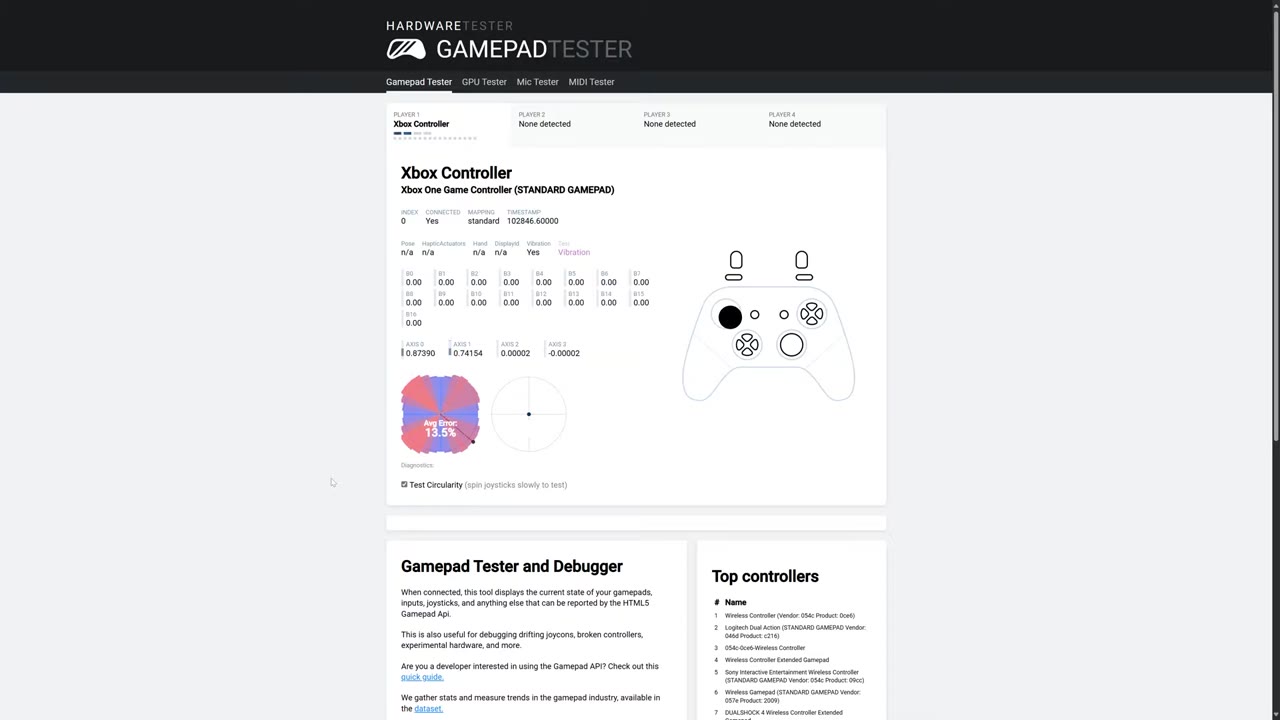
As for thumb sticks, they feel great in use with good resistance and smooth movements helped by the included anti friction rings. I haven’t found any issues with dead zones during my play sessions, making minute adjustments a breeze. The only critique I have for the sticks is that they aren’t tuned as precise as other options. Running a circularity test shows over a 13% margin of error for both sticks, compared to an 8% margin on my first-party Xbox controller. While not a massive difference, anyone susceptible to sensitive diagonals is likely to notice. But overall they perform well and the thumb cap grips do a great job of ensuring no slipping during play!

Using the XP-Ultra in its mini controller form doesn’t change any of these results during play, but it does change the way you hold and interact with the controller, making it less ideal for use with some genres. The lack of additional grip makes shooters with it nearly impossible for me as an example. But for racing, puzzle, and RPG’s I have had no issues. The smaller size in width again makes it ideal for travel so if you know that the loss of handle grip isn’t a problem for you the XP-Ultra will make for an excellent travel pad! An interesting thing to note when using the controller in Mini form is that it activates a smaller built-in rumble motor to make up for losing the ones in the grip housing. This motor feels like a cell phone buzzer and is interesting to experience in traditional gaming sessions.
For mobile gaming, the XP-Ultras included phone mount is easy to get setup and works in both full and mini configurations. The clip has good angles and can hold my Pixel 6 Pro in its case no problem. I haven’t noticed any latency issues using it with my phone over Bluetooth allowing for it to be a great option for Xbox cloud gaming sessions. It also works on dedicated android apps and emulators. The mount has a cutout to allow for USB connections to the controller during play allowing for charging when needed. Thankfully, the 2000 mAh battery can ensure long gaming sessions will be a breeze so that has yet to be a concern during my review period. You can check the battery level at any time with the battery button on the front of the pad. I also like that the battery level is clearly defined while charging.
What It Could Have Done Better
The most glaring Issue I have found with my time using the XP-Ultra is its inability to connect over Bluetooth using the Xinput standard. Having to buy another adapter for proper wireless play on PC is a bit of an ask for a controller that is still going for over $80 when typical first-party Xbox pads can do this without issue. The sticks could also use a bit more tuning. Besides these, I only have nitpicks like the lack of trigger resistance and not being super fond of the near stiff D-pad.
Verdict
The PowerA Moga XP-Ultra has proven to be a capable input device that can be used across Xbox, PC and mobile platforms. Its unique design is unlike anything else on the market and allows for players to choose the experience that works for them. While it does have some oddities the overall result is good and being able to connect it wirelessly with Xbox systems is a huge plus. While it wouldn’t be a controller I’d recommend at its original asking price of $129.99, at the new sale price of roughly $80 I can see this being a go-to option to anyone that is specifically looking for a controller for both home and on-the-go function!